Bring Your Memories Back to Life
Transform grainy 8mm home movies into stunning HD videos with our GPU-accelerated AI pipeline. Featuring optimized Real-ESRGAN, GFPGAN face restoration, and professional-grade enhancement. Process 10-second clips in just 5-6 minutes!
See the Transformation
Watch side-by-side comparison: Grainy original vs AI-enhanced restoration
📷 How I Digitized the Films
I used my Kodak scanner to digitize these precious 8mm films frame by frame, preserving every moment before applying AI restoration.
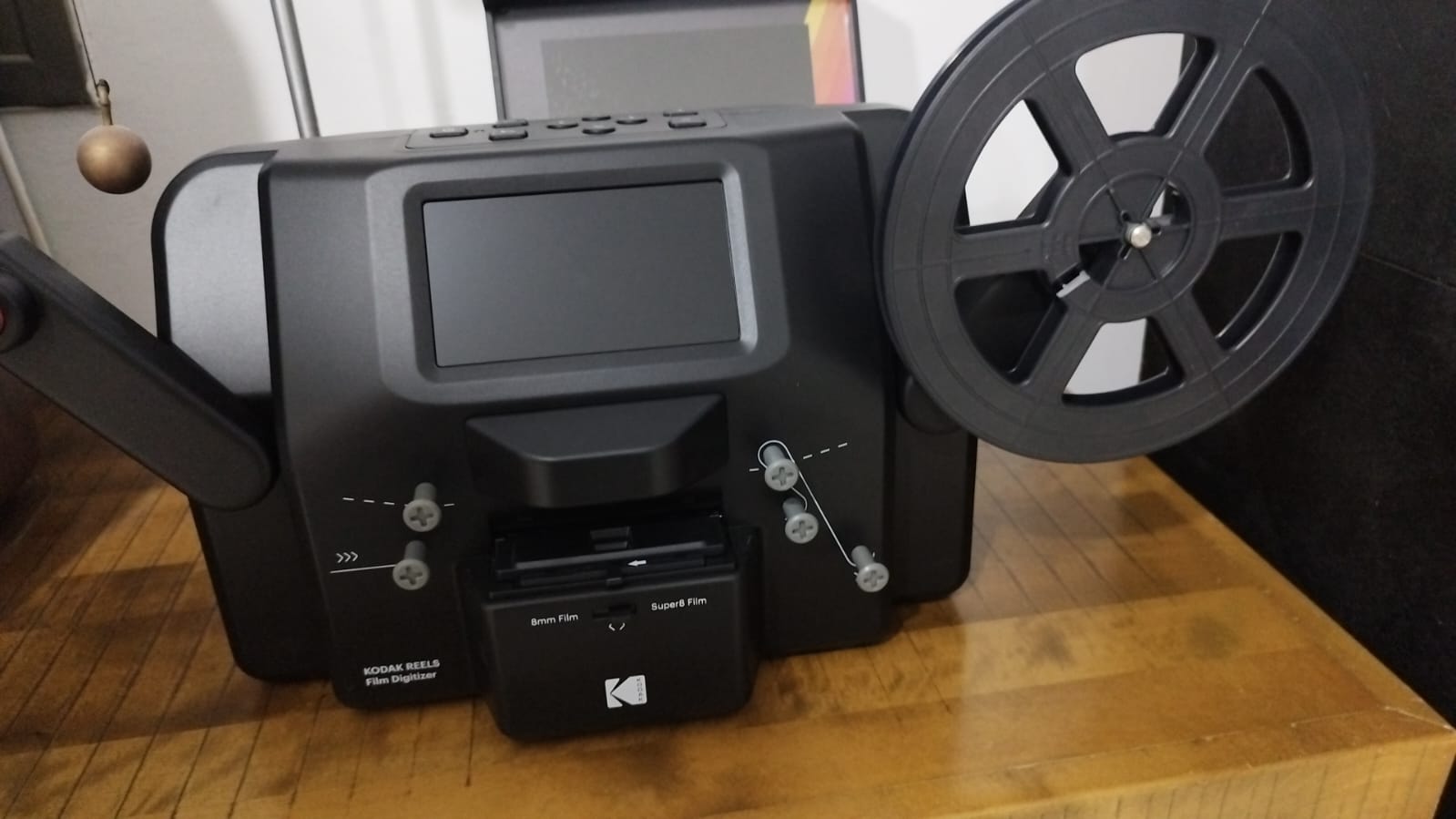
My Kodak scanner setup for frame-by-frame digitization
98%
GPU Utilization
2x-4x
AI Upscaling
7-Frame
Temporal Denoising
6 Steps
Enhancement Pipeline
Optimized GPU-Accelerated Pipeline
Stabilization + Crop
Remove camera shake with 10% edge crop. Eliminates black borders and damaged film edges for professional results.
Deflickering
Fix brightness flickering from old projectors. Temporal median filtering for consistent, smooth playback.
GPU Denoising
93x faster than CPU! GPU-accelerated temporal grain removal (0.14 sec/frame) while preserving details.
Face Restoration
GFPGAN v1.4 with weight 0.7 for natural enhancement. Runs BEFORE interpolation to prevent flickering.
Detail Enhancement
Adaptive unsharp masking (crisp preset). Edge-aware sharpening that ignores grain. Tested and optimized.
Color Correction
Natural "soft" preset with minimal processing. Preserves authentic film look without over-enhancement.
Get Started in Minutes
Clone the Repository
git clone https://github.com/avisalmon/MOV8mm.git
Download the complete pipeline to your computer.
Install Dependencies
pip install -r requirements.txt
Requires Python 3.12+, CUDA 12.1+, and 8GB+ GPU VRAM.
Run Setup
python setup.py
Automatically downloads AI models and configures your environment.
Restore Your Films!
python scripts/enhance_video.py input_videos/film.MP4 --cut 0 10 --setup
Process your first 10-second test clip in just 5-6 minutes!
System Requirements
Operating System
Windows 10/11, Linux, or macOS with Python 3.12+
GPU Required
NVIDIA GPU with 8GB+ VRAM (tested on RTX 4060). CUDA 12.1+ required.
Processing Time
~5-6 minutes for 10 seconds @ 20fps (200 frames). 30-second clip: ~15 min. 60-second clip: ~30 min (RTX 4060).
Ready to Restore Your Memories?
Join the community and bring your family's history back to life
View on GitHub → Read Documentation